Enhance your TV experience on PC with ChrisTV PVR
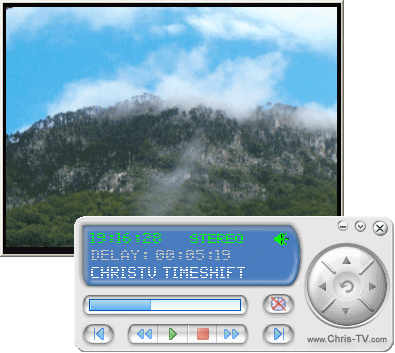
Enhance your multimedia experience by watching and recording your favourite TV and FM programs on your PC with our latest ChrisTV version 6.00 suite of products, which are compatible with analog TV cards that have WDM (Windows Driver Model) support on Microsoft Windows operating systems.
ChrisTV PVR products work with simple analog TV cards and also with Graphic Cards with Video Input (VIVO cards) or with Combo Cards (Graphic Card + analog TV tuner) which have WDM support.
ChrisTV PVR consists in a suite of three products:
ChrisTV PVR Professional
ChrisTV PVR Professional 6.00 is the top class product of this suite, including all the available features of the ChrisTV
product series. Enjoy this professional PVR (Personal Video
Recorder) application to watch, schedule and record analog
TV & Radio FM programs.
Using this product you take full advantage of the Advanced Scheduler functions, Radio Recording Module, Advanced Recording Features (use of Deinterlace Filters, Image Processing Effects while recording), Recording Profiles (for AVI, MPEG video
recording and WAV/MP3 audio recording), customizable MPEG Recording Settings, Video Frame Cropping Feature for Recording and Image Processing Features. In ChrisTV Professional both preview and recording modes, with multimonitor support, are
available for all supported capture devices (TV cards, VIVO cards, Combo cards).
ChrisTV PVR Professional comes as a shareware application for Windows with a FREE 21 day trial period, before it requires to be purchased.
ChrisTV PVR Standard
ChrisTV PVR Standard 6.00 is a standard PVR application designed for ergonomic watching, scheduling and recording of your favourite analog TV channels, air-broadcasted or by TV cable. Using this product you can also enjoy listening FM radio (available
only on TV cards with hardware FM radio support).
Some of the key features of ChrisTV Standard are: ChrisTV Configuration Wizard,
Skinnable Control Panel, AVI and MPEG recording modules, Scheduler Module (used to schedule previewing/recording of TV programs), Sleeper Timer functionality, Mosaic features, enhanced image
quality by use of Dscaler Deinterlace Plugins, Active/Favorite Channel List, Advanced Channel Autoscan functions (by frequency), Channel Mapping (synchronizes channel name with channel number),
ChrisTV Channel List Importing, Multimonitor Support and Radio FM stations support (for TV cards with Radio FM module). In ChrisTV Standard both preview and recording modes are available
for TV cards and Combo cards. For VIVO cards only preview mode is available.
ChrisTV PVR Standard comes as a shareware application for Windows with a FREE 21 day trial period, before it requires to be purchased.
ChrisTV Lite
ChrisTV Lite 6.00 is a quality entry-level product of the ChrisTV suite. It is the perfect choice for enjoying live TV programs like concerts, football/soccer/tennis games or
live shows on your PC through an analog TV card with WDM driver suport.
You can enhance it with Add-On Packages, for more details please check this page.
Easy to use, it has a multilanguage interface support for 25 languages. With ChrisTV Quick Configuration Panel you can configure fast this software. By perfoming a simple channel
autoscan a list of channels is set and can be later exported as a ChrisTV Channel List file. Image Zoom functions are available,
together with Image capturing functionality. Video aspect ratio settings let you change the image ration (4:3, 16:9). Even a slide show is possible using ChrisTV Lite, taking and
sliding live snapshots of all available set TV channels. TV Teletext functions are also accessible through this product. Image quality can be improved significantly (for most dynamic
live TV programs like football games) by use of the DScaler Deinterlace Filter. More than that you can fill and send automatically an error report in case you encounter any problems.
ChrisTV Lite comes as a freeware application for Windows and is NOT a spyware. This means it is FREE of any charge and you can use and distribute it freely, for non-commercial use.
For more details regarding ChrisTV PVR products, please check the Feature Comparison Chart.
ChrisTV PVR - Key Features
-
You can customize the image and sound settings for each TV channel
-
Advanced image and optimization settings
-
Don't miss a thing on TV with the advanced scheduler options
-
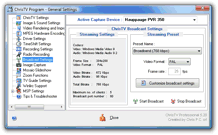
Share your favorite TV shows, Movies with your friends through local networks and through internet
-
Advanced Hardware MPEG Recording settings
-
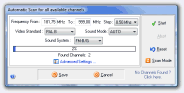
Advanced settings for autoscan to find the TV and Radio channels